Support
MuscleEcho is a workout log for iPhone and iPad that shows your training on an anatomical body chart.
Contact
kiyonda69@icloud.com (English or Japanese)
Please include the app version, your device and its iOS / iPadOS version, and the steps that lead to the problem. Never send your workout records or backup files unless we ask for a specific problem.
Frequently asked questions
What do the colors on the body mean?
Choose what to show above the body chart:
- Growth — growing (green), regaining a previous peak (gold), maintaining (teal), resting before it starts to shrink (gray), shrinking (blue). Muscles you haven’t trained yet are not colored.
- Recovery — just trained (red), recovering (orange), almost recovered (yellow), recovered (green), for muscles trained in the last 3 days.
- This week — weekly effective sets: below the amount that keeps a muscle’s size (blue), enough to keep it (yellow), enough to grow (orange), plenty — 12 or more (red).
- Today — muscles you trained today, darker for more sets.
Tap a muscle on the body or in the list to see its numbers.
How do I turn the body around?
Drag sideways on the body to turn it all the way around (1° steps). Flick it to keep it spinning for a moment; touch it to stop.
Are the sizes and recovery real measurements?
No. They are estimates from a model based on published research on muscle growth, detraining and muscle memory, calculated from what you log. Recovery is a rule of thumb (about 24 to 72 hours depending on how many sets you did). The app is not a medical device and does not give medical advice.
How does AI Insights work? (Pro)
Turn it on in Settings › AI Insights. Nothing is sent automatically: when you tap Analyze (on the AI Insights tab or in the workout summary), MuscleEcho sends a summary of your recent training to Claude, an AI by Anthropic, through MuscleEcho’s relay server, and shows the analysis a few seconds later. You can ask up to three times a day, after at least three new working sets (or 20 minutes of cardio or sport) since the last analysis, and you can add a question of your own; analyses are saved on your device. Before you turn it on, the app shows exactly what is sent: your workouts from the last 14 days, the body values and training context you entered (goal, equipment, available time, things to avoid), your question, your units and the app’s muscle estimates. Heart rate, calories, weight and body fat from Apple Health are sent only if you turn on a separate switch (off by default). Turn either off at any time in the same place. See the Privacy Policy.
AI Insights is for ages 18 and up (the app checks the birth year in your body data). The analysis is written by AI from your logs. It can make mistakes, so check important facts yourself; it is not medical advice. Stop and see a professional if you feel pain or are unsure.
What is free and what is Pro?
The body chart, logging, the muscle model, the Lock Screen rest timer (Live Activity) and up to 3 presets are free. Pro adds AI Insights, stats (estimated 1RM, volume, body composition), muscle details, calendar plans with reminders, unlimited presets, the Apple Watch app, watch-face complications and widgets. Pro is available as a monthly or annual subscription (the annual one with a free trial for new subscribers).
How do I manage or cancel my subscription?
Subscriptions are handled by Apple. On your iPhone or iPad, open Settings › [your name] › Subscriptions, or the App Store › your account picture › Subscriptions. Cancel at least 24 hours before the end of the current period to avoid the next renewal. For a refund, use Apple’s “Report a Problem” (reportaproblem.apple.com). To restore Pro on a new device, use Restore Purchases in the app.
Body illustrations
The anatomical body illustrations in the app are rendered from the Z-Anatomy 3D atlas: a glass-like figure in 360 views around the body (1° steps), a smaller copy of each view and a region map for each view. The download below contains exactly the files shipped in the app.
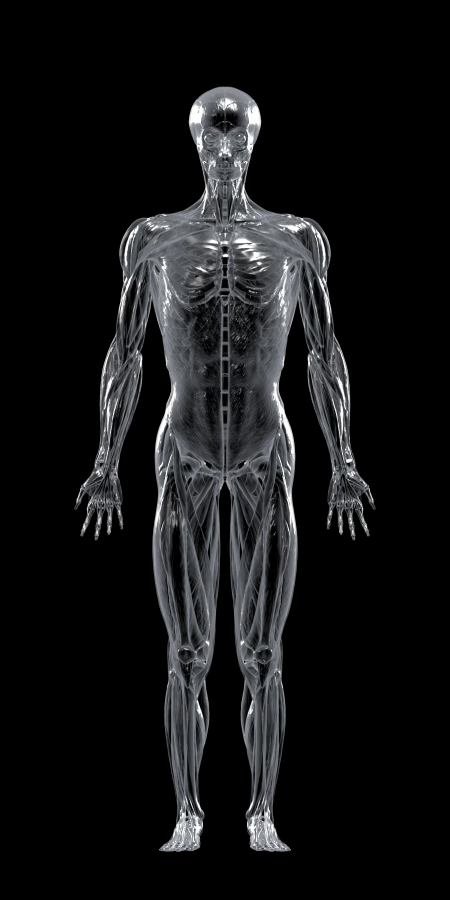
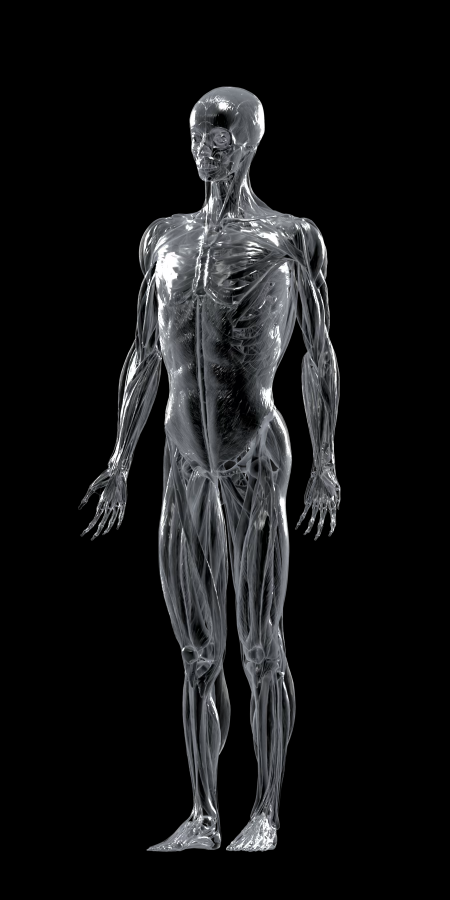
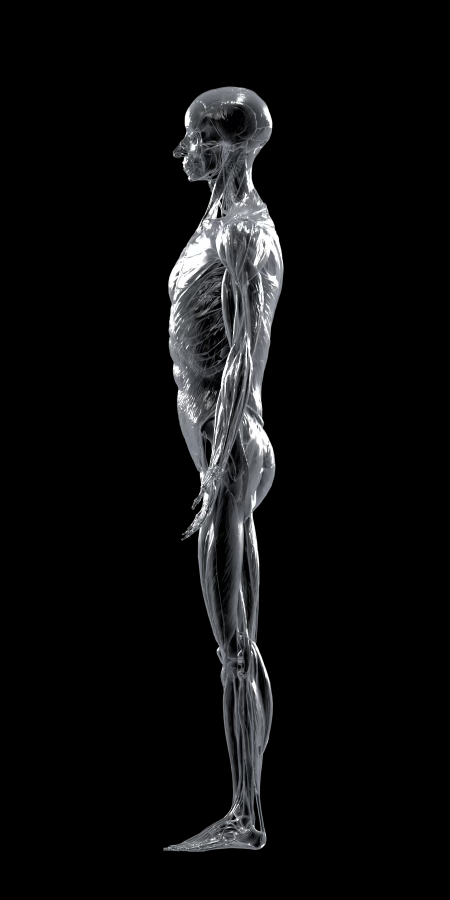
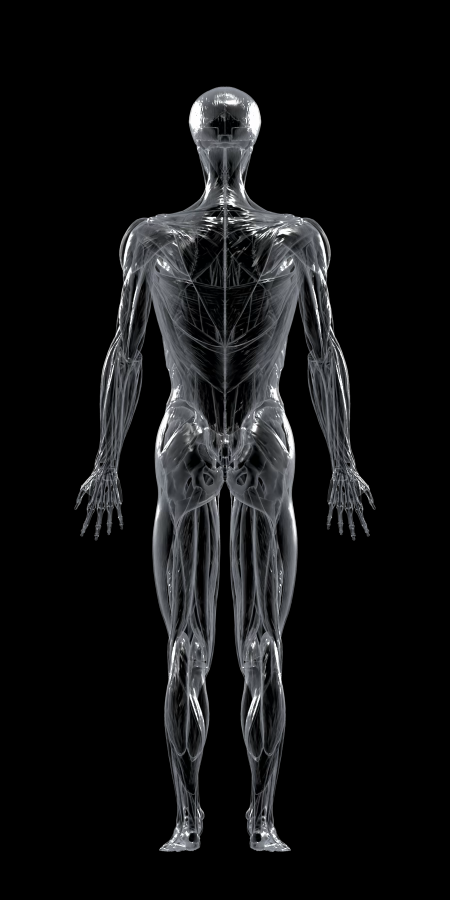
- Download all 360 views, the small copies and the region maps: muscleecho-illustrations.zip (HEIC and PNG, about 62 MB), with a README on how they were made.
- License: the illustrations are adapted from Z-Anatomy and are available under the Creative Commons Attribution-ShareAlike 4.0 International License (CC BY-SA 4.0). If you share them or something made from them, give the attribution below and use the same license. The App Store terms of use do not limit your rights to these illustrations; you can download them here without restrictions.
- Attribution: “Z-Anatomy — The libre 3D atlas of anatomy” by Gauthier Kervyn et al., CC BY-SA 4.0 (z-anatomy.com); based on BodyParts3D, © The Database Center for Life Science, CC BY-SA 2.1 Japan (now CC BY 4.0; dbarchive.biosciencedbc.jp). Rendered by Kiyoaki Segawa, 2026.
- Changes: muscles and bones rendered to 2D images in 360 views with a glass material and region maps; in the app, color overlays are added and the image is color-inverted in light mode.
Data sources
- Exercise energy: MET values from the 2024 Adult Compendium of Physical Activities (Herrmann et al., 2024).
- Muscle growth, detraining and muscle memory: modeled from published training studies, mainly Pelland et al., Sports Medicine 2025 (training volume and growth), Schoenfeld, Grgic & Krieger, J Sports Sci 2019, Damas et al., J Physiol 2016, Bosquet et al., Scand J Med Sci Sports 2013 (detraining) and Psilander et al., J Appl Physiol 2019 (muscle memory). Body fat estimated from the waist uses the relative fat mass (Woolcott & Bergman, Sci Rep 2018).
Trademarks
Apple, Apple Health, Apple Watch, Dynamic Island, iCloud, iPad, iPhone, Live Activities and App Store are trademarks of Apple Inc., registered in the U.S. and other countries and regions. Claude is a trademark of Anthropic, PBC.